
Download RecoverX – Free Data Recovery Tool for Transcend Devices (Windows, Mac, Android, iOS)
RecoverX is a free, secure, and exclusive data recovery tool developed by Transcend Information, designed specifically for users of Transcend memory cards, USB flash drives, SSDs, and HDDs. Whether you accidentally deleted important photos, lost documents due to corruption, or formatted a drive unintentionally, RecoverX offers a straightforward and reliable solution to retrieve your lost files. This powerful software supports a wide range of Transcend storage products and is compatible with Windows, Mac, Android, and iOS devices, making it a versatile tool for all users.
With a user-friendly interface and intuitive recovery process, RecoverX simplifies data recovery without requiring technical expertise. The software allows you to scan your Transcend devices quickly and recover various file types, including photos, videos, documents, audio files, and more. It’s a trusted, official tool from the manufacturer, ensuring compatibility and security.
Download RecoverX today and restore peace of mind when your data goes missing.
Key Features of RecoverX – Powerful Recovery for Transcend Devices
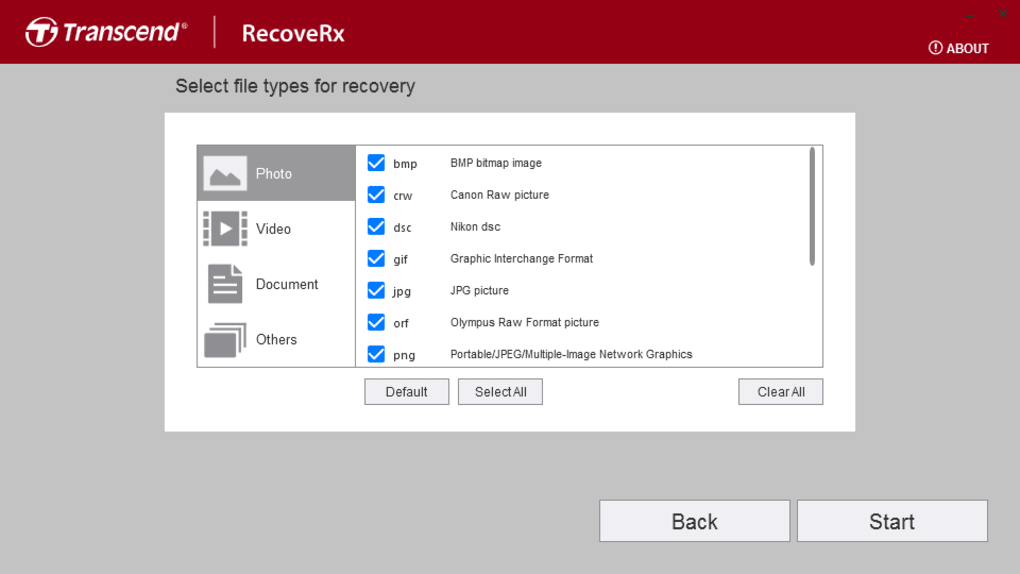
RecoverX stands out in the crowded data recovery market by offering a specialized solution tailored exclusively for Transcend storage devices. This means you get optimized performance and better success rates when recovering data from your Transcend USB drives, memory cards, SSDs, or hard drives. One of the most notable features is its dual-function design: the Recover and Format options. The Recover function uses deep scanning technology to detect and restore lost or deleted files, even after accidental formatting or system errors. It supports a wide array of file types, including JPEG, PNG, MP4, DOCX, PDF, and RAW formats, ensuring that your valuable media and documents are recoverable.
Another key feature is its cross-platform compatibility. Whether you're using Windows 10/11, macOS, Android, or iOS, RecoverX provides a consistent experience across devices. The software is lightweight and doesn’t consume excessive system resources, making it ideal for both older and modern computers.
Additionally, RecoverX includes a real-time device detection system that automatically identifies connected Transcend storage units, reducing setup time. The tool also features a clean, intuitive interface that guides users step-by-step through the recovery process, eliminating confusion. Unlike third-party tools that may carry malware or unwanted ads, RecoverX is a secure, official release from Transcend, ensuring a safe download and update experience.
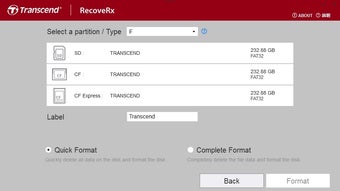
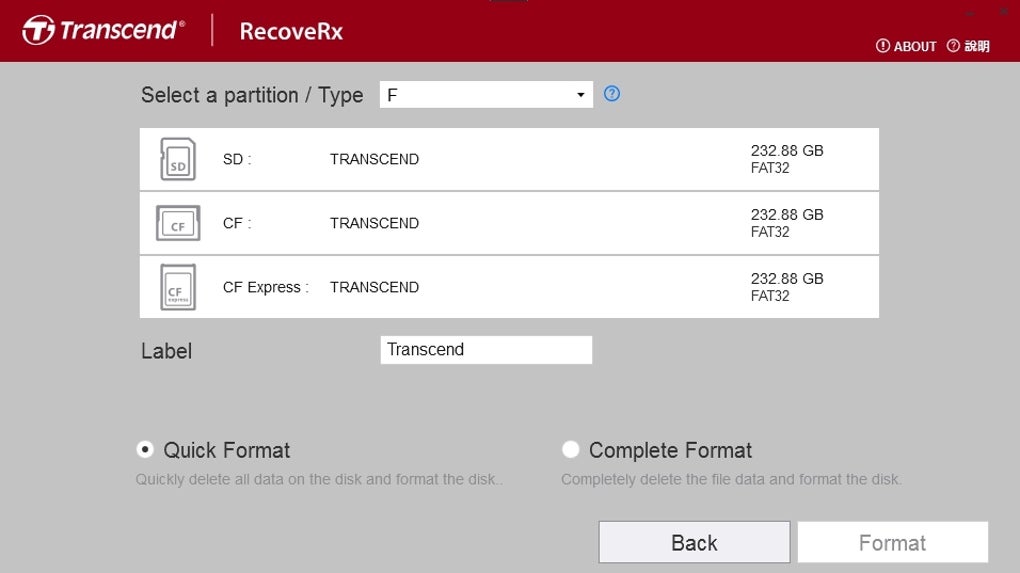
For users who want to wipe their drives clean, the Format option is a convenient and secure feature. It allows you to perform either a quick or full format, helping you prepare your device for reuse or reset. This dual-purpose functionality makes RecoverX not just a recovery tool, but also a useful maintenance utility. With regular updates from Transcend, the software stays current with the latest file system standards and security patches. Overall, RecoverX delivers a complete, reliable, and user-friendly data recovery solution for Transcend device owners.
How to Install and Use RecoverX – Step-by-Step Guide
Installing and using RecoverX is a simple process that anyone can follow, even without technical knowledge. First, visit the official Transcend website and navigate to the Support or Downloads section. Search for "RecoverX" and select the version compatible with your operating system—Windows, Mac, Android, or iOS.
Download the installer file, which is typically less than 50MB, ensuring a fast and secure download. Once downloaded, run the installer and follow the on-screen prompts. The installation process takes under a minute and does not require admin rights on most systems.
After installation, launch RecoverX. The main interface displays two primary options: Recover and Format. To recover lost data, click on Recover.
The software will automatically detect all connected Transcend storage devices. Select the device you want to scan—such as a USB flash drive or SD card—and click Start Scan. The scan may take a few minutes depending on the drive size and data volume.
RecoverX uses advanced algorithms to search for deleted or lost files, and you can preview recoverable files before restoring them.
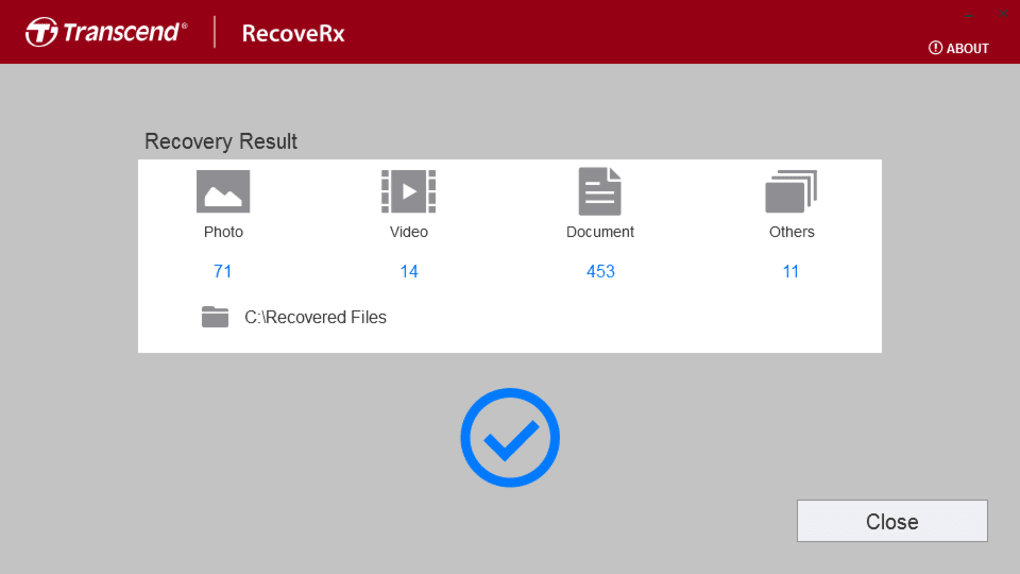
Once the scan completes, you can filter results by file type, date, or name. Select the files you wish to recover and choose a safe destination folder on a different drive to avoid overwriting original data. Click Recover to begin the restoration process.
For formatting, choose Format, select the device, and pick between quick or full format. Confirm the action and wait for completion. Always ensure your device is backed up before formatting.
With these straightforward steps, RecoverX makes data recovery accessible to everyone.
Compatibility and System Requirements
RecoverX is engineered to work seamlessly across multiple platforms, ensuring broad accessibility for Transcend users. The software is officially supported on Windows 7, 8, 10, and 11 (both 32-bit and 64-bit), as well as macOS 10.14 (Mojave) and later. For mobile users, there’s a dedicated Android app available on Google Play, and an iOS version for iPhone and iPad users. This cross-platform availability makes RecoverX a truly versatile tool, whether you’re recovering data from a camera SD card on your Mac or a USB drive on your Android tablet.
System requirements are minimal, making RecoverX suitable for older machines and low-end devices. It requires at least 2GB of RAM, 100MB of free disk space, and a stable internet connection for updates. The software does not need to be installed on the target drive—just on your computer or mobile device. For optimal performance, ensure your Transcend device is connected via a reliable USB port or card reader. The tool supports all major file systems, including FAT32, exFAT, NTFS, and HFS+, which means it can handle drives formatted for Windows, Mac, or cameras.
It’s important to note that RecoverX is exclusive to Transcend products. It will not work with storage devices from other brands. For a full list of supported models, visit the Transcend support page.
This exclusivity ensures better optimization and higher recovery success rates. Regular updates are released to improve compatibility with new Transcend devices and enhance recovery algorithms. Always download the latest version from the official site to ensure maximum security and performance.
Pros and Cons of RecoverX – Honest Review
- Pros:
- Free and secure download from the official Transcend website
- Exclusive support for Transcend storage devices ensures high recovery success
- Simple, intuitive interface suitable for beginners
- Supports multiple file types: photos, videos, documents, audio, and more
- Available on Windows, Mac, Android, and iOS
- Includes a safe formatting option for device reset
- Regular updates and strong manufacturer support
- Cons:
- Only works with Transcend-branded devices (not compatible with other brands)
- No advanced recovery modes like deep scan or sector-level recovery
- Mobile version has limited functionality compared to desktop
- Does not support RAID or network drives
- Recovery success depends on how quickly you act after data loss
Frequently Asked Questions (FAQ)
- Is RecoverX really free to download?
Yes. RecoverX is completely free to download and use. There are no hidden fees or premium tiers. You can access all core recovery features at no cost from the official Transcend website.
- Can I use RecoverX on non-Transcend devices?
No. RecoverX is designed exclusively for Transcend storage products. It will not detect or recover data from drives made by other brands such as SanDisk, Kingston, or Samsung.
- How long does a recovery scan take?
Scanning time varies depending on the drive size and data volume. A 64GB USB drive may take 5–10 minutes, while a 1TB external HDD could take 30 minutes or more. The scan is faster on newer, faster drives.
- What should I do if RecoverX can't find my lost files?
Act quickly. The longer you wait after deletion or formatting, the higher the chance of data being overwritten. Avoid writing new data to the drive. If the file is still not found, consider professional recovery services.
- Does RecoverX support Android and iOS devices?
Yes. There are dedicated apps for Android and iOS. However, mobile versions have limited features compared to the desktop version and are best for basic recovery tasks.
Final Verdict: Is RecoverX Worth It?
If you own a Transcend storage device and have experienced data loss, RecoverX is an excellent first choice. It’s free, secure, and specifically built for your brand, giving you a higher chance of successful recovery than generic tools. While it lacks some advanced features found in competitors like Disk Drill or Recuva, its simplicity, reliability, and manufacturer-backed trust make it a standout option. The dual-purpose functionality—recovery and formatting—adds extra value. For Transcend users, this tool is a must-have in their digital toolkit.
Download RecoverX today from the official Transcend website and take control of your data recovery needs. Whether you’re a student, photographer, or business user, this tool can help you regain peace of mind and restore your important files.







